

Editorial Disclaimer: Smart Update24 verifies information through official websites, government notifications, and trusted sources before publication. Our team also conducts independent research and analysis to provide accurate information to readers; however, users are advised to verify important details from the respective official websites for final confirmation.
ABHA Card 2026: Health and education are considered two of the most important basic rights of every human being. To improve these sectors and provide support to common people, both the Central Government and different State Governments regularly launch various welfare schemes.

For education, students receive scholarships and financial assistance schemes. Similarly, for healthcare support, the Government of India has introduced several important initiatives such as health insurance schemes, digital health cards, and medical benefit programs for citizens across the country.
Related Article: Will Swasthya Sathi Card Be Stopped in West Bengal? Ayushman Bharat Update After BJP Victory

Under the leadership of Prime Minister Narendra Modi, the Government of India launched the Ayushman Bharat Digital Mission, through which citizens are now being provided with the ABHA Card, also known as the Ayushman Bharat Health Account Card.
One of the biggest benefits of this scheme is that eligible families under the Ayushman Bharat scheme can receive health treatment benefits worth up to 5 lakh per year. Along with this, the ABHA system helps people store and manage their medical records digitally.
Today, we will discuss everything about the ABHA Card, including:
- What the card is
- Its benefits
- How to create it online
- How to download it
- Where it can be used
Under the Government of India’s Ayushman Bharat Digital Mission, citizens are now being provided with a digital health identity known as the ABHA Card. The biggest advantage is that anyone can create this card within just 5 minutes using either an Aadhaar Card or a Driving Licence.
If you ever need medical treatment or have to visit a hospital in the future, this card can become extremely useful. Through this digital health ID, your medical records can be securely linked and accessed whenever required.
In this article, we will explain how to create and download the ABHA Card step-by-step, what benefits it offers, and where you can use it for maximum advantage.
What is an ABHA Card 2026?
The full form of ABHA is Ayushman Bharat Health Account. It is a unique digital health ID launched under the Ayushman Bharat Digital Mission.
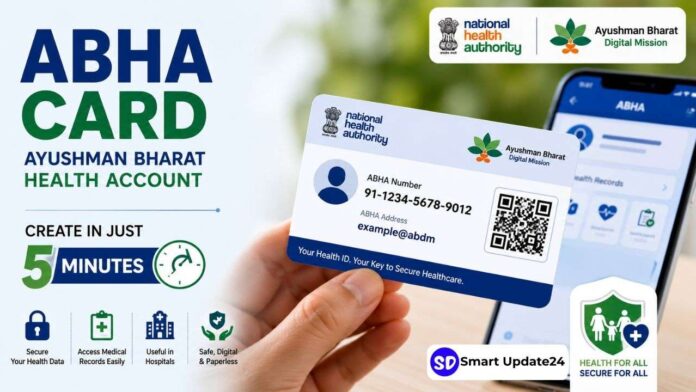
Every ABHA Card comes with:
- A unique ABHA Number
- A digital health identity
- An ABHA Address
- A QR code for verification
- Secure access to medical records
This card helps doctors, hospitals, and healthcare providers access your health information digitally whenever needed.
How to Create an ABHA Card 2026 Online?
First of all, you need to visit the official ABHA portal. The official website link is available in this article.
Alternatively, you can simply open your mobile Chrome browser and search for “ABHA”. The official portal will appear directly in front of you.
On the homepage, you will see the option: “Create ABHA.”
Click on this option.
Two Methods Available for ABHA Registration
After clicking on “Create ABHA”, two registration methods will appear:
Although both options are available, using Aadhaar is considered the best and easiest method because eventually your Aadhaar details will need to be linked with the account anyway.
So, selecting the Aadhaar-based option is the smarter choice.
Step-by-Step Process to Create ABHA Card Using Aadhaar
Step 1: Enter Aadhaar Number
On the next page, you will be asked to enter your 12-digit Aadhaar number.
After entering the number:
- Accept the Terms and Conditions
- Click on “I Agree”
Now go to the “Authentication Type” section and select:
“Aadhaar OTP”
One important thing to remember is that your mobile number must already be linked with your Aadhaar card. Otherwise, you will not receive the OTP required for verification.
Step 2: Enter Captcha and Verify OTP
Now carefully enter the Captcha code exactly as shown on the screen.
Then click on:
“Next”
After this, an OTP will be sent to the mobile number linked with your Aadhaar card.
You need to:
- Open the SMS received on your phone
- Enter the OTP in the given field
At this stage, you may also be asked to enter a mobile number for communication purposes.
Although you can use another number, it is strongly recommended that you use the same mobile number linked to your Aadhaar card.
Step 3: Second OTP Verification
After clicking “Next”, another OTP will be sent to the mobile number you just entered.
The purpose of this second OTP is to verify that the number actually belongs to you.
Simply:
- Enter the OTP
- Click on “Validate”
Once validation is complete, the next step will appear.
Step 4: Add Email ID
Now the portal will ask you to enter an email ID.
It is best to use the Gmail account currently logged into your phone so that you can receive future notifications and health-related communication directly in your inbox.
After entering the email:
- Click on “Verify”
You will receive a verification email containing a link.
You can:
- Verify immediately by clicking the link
- Or skip this step temporarily using the “Skip” option
Step 5: Create Your ABHA Address
Now you will reach the most important section:
Creating an ABHA Address
Many people mistakenly think they need to enter their home address here. But that is completely incorrect.
The ABHA Address works more like an email ID or username.
You need to create a unique digital ID.
For example:
- yourname@abdm
- rahul123@abdm
- amit2026@abdm
Usually, simple names may already be taken because millions of users have already created accounts.
So you may need to add:
- Numbers
- Digits
- Special combinations
Once a green tick appears, it means the ID is available.
The “@abdm” suffix gets added automatically, so you only need to type your preferred username.
Your ABHA ID must contain:
- Minimum 8 characters
- Maximum 18 characters
Finally, click on:
“Create ABHA”
Within moments, your ABHA Card will be successfully created and ready to use.
What Information Appears on the ABHA Card?
Once generated, the ABHA Card displays:
- Your ABHA Number
- Aadhaar-linked details
- Your ABHA Address
- QR Code for verification
Doctors and hospitals can use this ID to:
- Access health records
- Update treatment history
- Maintain digital medical records securely
The QR code also helps in quick identity verification.
How to Download ABHA Card PDF?
To download the card:
- Click on the “Download” option
Your card will be downloaded instantly in PDF format.
You can:
- Save it on your mobile
- Print it for future use
- Keep it as a digital health document
Benefits of the ABHA Card
The ABHA Card offers several important healthcare benefits for citizens across India. This digital health ID not only helps in maintaining medical records online but also makes hospital and treatment-related processes much easier.
Digital Health Records
Your medical reports, prescriptions, treatment history, and other healthcare documents can be stored digitally in one place.
Faster Hospital Registration
With the help of the ABHA Number and QR Code, hospitals can quickly verify patient details and reduce paperwork during admission or treatment.
Easy Access to Medical Information
Doctors can easily access previous health records whenever required, helping them provide better and faster treatment.
Secure Health Identity
The ABHA system provides every citizen with a unique digital health identity that keeps medical data secure and organized.
Useful Across India
The card can be used in hospitals and healthcare facilities connected with the Ayushman Bharat Digital Mission network across the country.
Helps During Medical Emergencies
In emergencies, having quick access to your medical history can save valuable time during treatment.
Online and Paperless Process
The complete registration process is online, simple, and takes only a few minutes using Aadhaar or a Driving Licence.
Linked with the Ayushman Bharat Scheme
Eligible beneficiaries under the Ayushman Bharat scheme may receive cashless treatment benefits up to ₹5 lakh annually in empanelled hospitals.
QR Code Verification Facility
Each ABHA Card comes with a QR Code that helps in easy and secure identity verification.
Easy Download and Storage
The card can be downloaded in PDF format and stored safely on your phone for future use anytime and anywhere.
Already Have an Ayushman Bharat Health Card?
If you already possess a health card issued under the Ayushman Bharat scheme, downloading its updated version may automatically display your ABHA Address as well. This means your old health card can now become part of India’s new digital healthcare ecosystem.
The ABHA Card is becoming one of the most important digital healthcare documents in India. Since it can be created online within just a few minutes using Aadhaar or a Driving Licence, every citizen should consider generating it as early as possible.
From maintaining medical records digitally to enabling smoother hospital services, the ABHA system is designed to make healthcare simpler, faster, and more secure for everyone.
Tips From Smart Update24 for ABHA Card 2026
Since the Government has launched such a useful healthcare scheme for citizens, everyone should consider creating this card as early as possible. After all, nobody knows when medical emergencies may arise in life. In difficult situations, this card can become extremely helpful for treatment, hospital registration, and maintaining health records digitally.
