

Editorial Disclaimer: Smart Update24 verifies information through official websites, government notifications, and trusted sources before publication. Our team also conducts independent research and analysis to provide accurate information to readers; however, users are advised to verify important details from the respective official websites for final confirmation.
PAN Card Photo and Signature Update Online 2026: Many people need to update the photograph or signature printed on their PAN card because the existing photo is outdated, unclear, or no longer matches their current appearance. The good news is that you can apply for corrections to an existing PAN through an authorised PAN service provider, subject to the options available under the current application process.

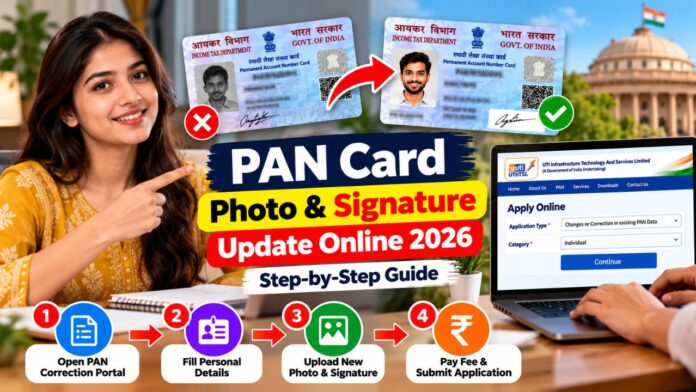
A social media guide shared by IndiaBees explains a four-step process using the UTI Infrastructure Technology and Services Limited (UTIITSL) portal. It covers selecting the correction form, entering personal details, uploading a new photograph and signature, and submitting the application after completing the required verification and payment.
Before starting, however, applicants should check the current official portal instructions. PAN application forms and procedures have changed, so older social media tutorials may not reflect every current requirement.

How to Update Your PAN Card Photo and Signature Online
Applicants can submit PAN correction requests online through authorised service providers, including UTIITSL and Protean eGov. The Income Tax Department has specified new correction forms, effective from April 1, 2026: PAN CR-01 for individuals and PAN CR-02 for non-individual applicants. 【turn238260search21】【turn238260search0】
Follow these steps to get started.
Step 1: Open the official PAN portal
Visit the UTIITSL website. Select the relevant option for changes or corrections to an existing PAN. Make sure you choose the correction service rather than applying for a new PAN.
Under the PAN correction procedure introduced in 2026, the Income Tax Department specifies two forms:
-
PAN CR-01: For individual applicants.
-
PAN CR-02: For non-individual applicants, such as eligible organisations and entities.
Step 2: Enter your personal details
Provide the information requested in the current correction form, such as your existing PAN, name, date of birth, mobile number, and email address. Check every entry carefully before proceeding.
Step 3: Upload your new photograph and signature
If the selected application supports photo and signature correction online, upload the required files in the specified format and size. Ensure that your photograph is clear and your signature is legible. Submit supporting documents if requested.
Step 4: Complete verification and submit
Complete any required authentication or e-Sign process, pay the applicable fee shown on the portal and submit your application. Save the acknowledgement or reference number for future tracking.
These steps describe the general process. The precise options and document requirements may differ according to the current form and application mode. Check the instructions displayed by the authorised service provider before making payment. 【turn238260search1】【turn238260search21】
Documents Required for PAN Photo and Signature Correction
Keep the following information and documents ready, as applicable to your application:
- Existing PAN number or PAN card details.
- A recent photograph that meets the portal’s specifications.
- A clear image of your signature.
- Valid mobile number and email address.
- Supporting identity or other documents, if required.
- A payment method accepted by the portal.
The exact requirements depend on the type of correction and the application method. Follow the official checklist rather than relying solely on an older social media post.
PAN Card Photo and Signature Update Fees
There is no single fee that should be assumed for every type of PAN correction. The amount can depend on the service and whether a physical card or electronic PAN document is requested.
Check the fee displayed during the application process before paying. UTIITSL and Protean eGov are the authorised service providers identified by the Income Tax Department for PAN-related services.
Official Websites for PAN Card Correction
UTIITSL PAN Services
Existing PAN correction, card services and other PAN facilities: Visit UTIITSL
Income Tax Department
Official PAN rules, forms and application guidance: Visit the official PAN information page
What Happens After Submitting the Application?
Once your application has been submitted successfully, retain the acknowledgement number and use the available tracking facility to check its status. If the application requires additional documents or verification, follow the instructions provided by the service provider.
Do not assume that the photograph or signature has been updated immediately after payment. Wait for the application to be processed and check the status before requesting another correction.
Important Things to Remember
- Do not apply for another PAN just to change the photograph or signature. Correct your existing PAN instead.
- Use only the official UTIITSL or Protean eGov website for PAN services.
- Never share your OTP or sensitive identity information with unauthorised people.
- Check the photograph and signature requirements before uploading files.
- Save the acknowledgement and payment receipt.
- Use the current correction form applicable to your category.
Frequently Asked Questions
- Can I change my PAN card photo online?
You can submit a correction request through an authorised PAN service provider if the applicable online process supports the required photo correction.
- Can I update my signature on an existing PAN card?
Yes, you can request a signature correction through the applicable PAN correction process. Follow the current form and submission instructions.
- Do I need a new PAN number to change my photo?
No. You should normally request a correction to your existing PAN rather than apply for a second number. Holding more than one PAN is not permitted.
- Is Aadhaar OTP verification required?
Verification requirements depend on the application method and the service selected. Follow the instructions shown on the official portal.
- Which PAN correction form applies in 2026?
Under the procedure effective April 1, 2026, PAN CR-01 is prescribed for individual applicants and PAN CR-02 for non-individual applicants.
