

Editorial Disclaimer: Smart Update24 verifies information through official websites, government notifications, and trusted sources before publication. Our team also conducts independent research and analysis to provide accurate information to readers; however, users are advised to verify important details from the respective official websites for final confirmation.
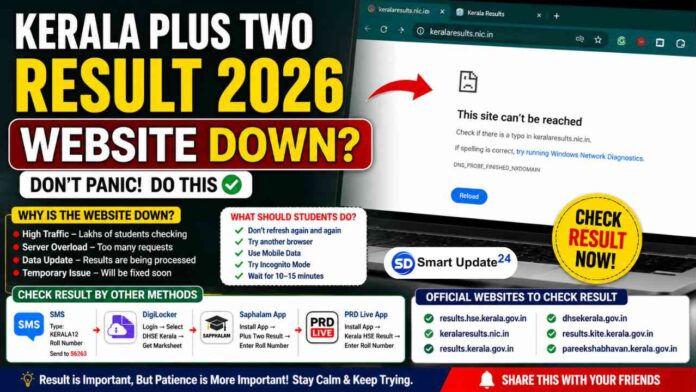
Kerala Plus Two 2026 Result Website Down? Guys, if you’re trying to check your Kerala Plus Two Result 2026 and seeing messages like “Server Error”, “Website Not Responding“, or pages stuck on loading, don’t panic. Thousands of students and parents are trying to access the results at the same time, which is causing heavy traffic on the official websites.

I’ll thoroughly explain everything. Why this is happening, what you should do now, alternative result links, and other methods to check your result if the websites are not opening.
According to reports, Kerala Plus Two Result 2026 has been declared, but many students are facing website issues due to huge traffic volume.

Kerala Plus Two Result Name-Wise 2026 Highlights
Students can check the important details regarding the Kerala DHSE +2 result name-wise 2026 in the table below.
|
Particulars |
Details |
|---|---|
|
Exam name |
Kerala Plus Two Examination 2026 |
|
Conducting authority |
Directorate of Higher Secondary Education (DHSE), Kerala |
|
DHSE Kerala +2 exam dates |
March 6 to March 28, 2026 |
|
Kerala Plus Two Result Date |
May 26, 2026 |
|
Result time |
3 PM |
|
Official result link websites |
|
|
Result mode |
Online |
|
Credentials required |
Registration number and date of birth |
|
Name-wise result availability |
Not officially available |
First Understand: Why Are the Websites Down?
Many students immediately think:
“Is there any issue with the result?”
“Has the server crashed permanently?”
“Did something go wrong?”
The answer is no.
The websites become slow mainly because:
• Lakhs of students open the website at the same time
• High server traffic overloads the system
• Backend result processing creates additional pressure
• Multiple refresh requests increase server load
This happens almost every year when major board results are announced.
What Should Students Do Right Now?
If I were checking my result, this is what I would do:
1. Stop Refreshing Every Second
Many students keep pressing F5 repeatedly.
This actually creates more load and can make the website slower.
Instead:
- Wait for a few minutes
- Try again later
2. Try a Different Browser
If Chrome isn’t working, try:
- Microsoft Edge
- Firefox
- Safari
- Opera
Sometimes the issue is browser-specific.
3. Switch Internet Connection
If Wi-Fi isn’t working:
- Try mobile data
- Change networks
- Restart the internet connection
4. Use Incognito Mode
Sometimes cached files create loading issues.
Open: Chrome → New Incognito Window
Then try opening the result website again.
5. Wait 10–15 Minutes
The traffic usually becomes normal after some time.
No need to panic. Your result isn’t going anywhere.
Kerala Plus 2 Result 2026 Official Websites to Check
The Kerala Plus 2 Result 2026 will be announced online. After the result declaration during the press conference, students can visit the official website to check the result and download the marksheets.
- nammudekeralam.kerala.gov.in
- results.hse.kerala.gov.in
- prd.kerala.gov.in
- results.kerala.gov.in
- results.digilocker.gov.in
- results.kite.kerala.gov.in
- examresults.kerala.gov.in
Alternative Ways to Check the Result
Website down? No problem.
You can still check your result through other methods.
Check Through DigiLocker
Steps:
- Open DigiLocker app or website
- Log in using your registered mobile number
- Select Kerala DHSE Result option
- Enter your Registration Number and Date of Birth
- Download your marksheet
DigiLocker often works even when official result websites become slow.
Use Mobile Apps
Students can also use:
- Saphalam App
- PRD Live App
Steps are simple:
- Download the app
- Select Kerala Plus Two Result
- Enter Registration Number
- View the result instantly
After Getting Your Result, Don’t Just Check Marks
Many students only look at total marks and close the page.
Always verify:
- Student Name
- Roll Number
- Registration Number
- Subject-wise Marks
- Total Marks
- Pass/Fail Status
If there is any mistake, immediately contact your school authorities
