

Editorial Disclaimer: Smart Update24 verifies information through official websites, government notifications, and trusted sources before publication. Our team also conducts independent research and analysis to provide accurate information to readers; however, users are advised to verify important details from the respective official websites for final confirmation.
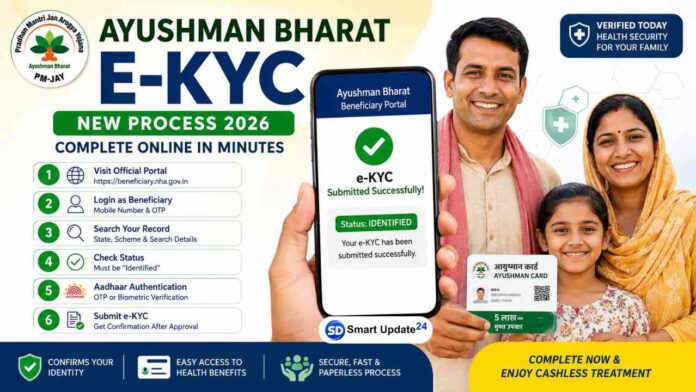
Ayushman Bharat e-KYC Process: National Health Authority (NHA) has announced that if your Ayushman Bharat Pradhan Mantri Jan Arogya Yojana (AB PM-JAY) beneficiary status shows “Identified”, you can now complete your e-KYC online through the official beneficiary portal. The process is simple and helps eligible beneficiaries verify their identity to access the scheme’s health insurance benefits.

Here is everything you need to know about the latest e-KYC process.
Ayushman Bharat e-KYC Process: What Does “Identified” Status Mean?
When your beneficiary status appears as Identified, it means your details have been matched in the Ayushman Bharat database, but your identity verification is still pending. Completing e-KYC confirms your identity and helps activate your beneficiary record.

Ayushman Bharat e-KYC Process for “Identified” Beneficiaries: Step-by-Step Process
Step 1: Visit the Official Beneficiary Portal (https://beneficiary.nha.gov.in/)
Open the official Ayushman Bharat Beneficiary Portal in your browser.
Step 2: Log in as a Beneficiary
Select the Beneficiary login option and enter your registered mobile number. Verify it using the OTP sent to your phone.
Step 3: Search Your Record
After logging in:
- Select your State.
- Choose the relevant Scheme.
- Enter the required search details.
- Find your beneficiary record.
Step 4: Check Your Status
If your record displays Identified, you will see the option to begin the e-KYC process.
Step 5: Complete Aadhaar Authentication
Verify your identity using Aadhaar authentication. Depending on availability, authentication may be completed through:
- OTP verification
- Biometric verification
Follow the on-screen instructions to finish the verification.
Step 6: Submit e-KYC
Once all required information is verified, submit your application. If everything is correct, your e-KYC request will be successfully submitted. You may receive a confirmation after approval.
Step 7: Download Card
Once approved, the card can be downloaded from the same portal or the official Ayushman App.
Ayushman Bharat e-KYC Process: Why e-KYC Is Important?
Completing e-KYC offers several benefits:
- Confirms your identity in the PM-JAY database.
- Helps avoid delays while availing healthcare services.
- Makes it easier to generate and use your Ayushman Bharat card.
- Ensures your beneficiary details remain updated.
Before You Start
Keep these details ready:
- Aadhaar number
- Aadhaar-linked mobile number (for OTP authentication)
- Registered mobile number used for the beneficiary portal
Also Read: Pink Card Scheme 2026 | How to Apply for Free Bus Travel on Government Buses
Common Reasons Why e-KYC May Not Work
You may face issues if:
- Your mobile number is not linked with Aadhaar.
- The beneficiary details do not match official records.
- Your status is not yet marked as Identified.
- Temporary server or authentication issues occur.
In such cases, you can try again later or seek assistance from your nearest Common Service Centre (CSC) or the Ayushman Bharat helpdesk.
The new Ayushman Bharat e-KYC process has made beneficiary verification more convenient. If your status is already showing “Identified”, completing the online verification takes only a few minutes and helps ensure uninterrupted access to the health benefits available under the scheme.
Eligible beneficiaries are advised to complete the verification at the earliest to avoid delays when they need medical treatment.
