

Editorial Disclaimer: Smart Update24 verifies information through official websites, government notifications, and trusted sources before publication. Our team also conducts independent research and analysis to provide accurate information to readers; however, users are advised to verify important details from the respective official websites for final confirmation.
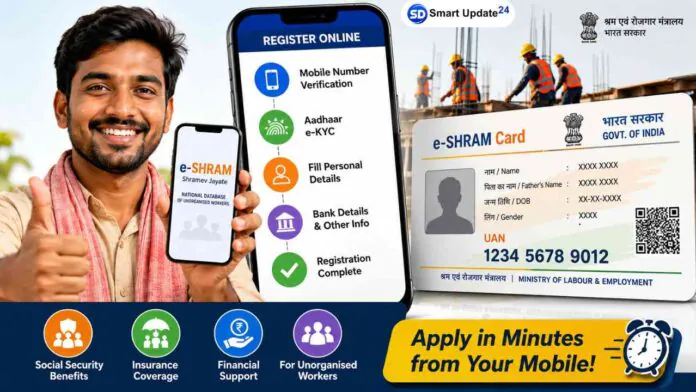
E-Shram Card Registration 2026: The ‘E-Shram Card’ has emerged as a crucial identity document for workers in India’s unorganized sector. Eligible workers can register on the E-Shram portal to obtain a ‘Universal Account Number’ (UAN); this number assists the government in maintaining a national database of workers and delivering various welfare benefits more efficiently.

The good news is that you can complete the registration process online using your mobile phone in just a few simple steps. Many people are still confused about the registration process, eligibility criteria, and the difference between normal workers and platform workers. Here’s a detailed guide explaining everything you need to know before applying for an E-Shram Card online.
What is an E-Shram Card?
The E-Shram Card is issued by the Ministry of Labour and Employment, Government of India, for workers employed in the unorganized sector. After successful registration, workers receive a unique UAN number and a digital E-Shram Card.

The database helps the government identify eligible beneficiaries for various welfare schemes and social security programs.
Who Can Apply?
To register on the E-Shram portal, applicants must:
- Be between 16 and 59 years of age
- Be engaged in the unorganized sector
- Possess a valid Aadhaar card
- Have a mobile number linked to Aadhaar
- Not be covered under organized employment benefits in certain cases
Individuals working in the unorganized sector may be eligible to register, including:
- Construction workers
- Agricultural laborers
- Street vendors
- Domestic workers
- Migrant workers
- Delivery personnel
- Drivers
- Self-employed workers
- Small traders and artisans
Applicants should have an Aadhaar-linked mobile number to complete the registration process smoothly.
Platform Worker
This category is meant for people working through digital platforms such as:
- Zomato
- Swiggy
- Blinkit
- Ola
- Uber
- Rapido
- Amazon Delivery
- Flipkart Delivery
If you earn income through app-based work or online platforms, this option may be suitable.
How to Apply for an E-Shram Card Online
The registration process can be completed directly from a smartphone or computer.
Step 1: Visit the Official Portal: https://eshram.gov.in/indexmain
Open your browser and visit the official E-Shram portal.
Step 2: Start Registration
Click on the “Register on eShram” option available on the homepage.
Step 3: Complete OTP Verification
Enter:
- Mobile number
- Captcha code
If you are not a member of EPFO or ESIC, select “No” where applicable.
Click Send OTP and enter the OTP received on your mobile phone.
Step 4: Complete Aadhaar e-KYC
Provide your Aadhaar details and complete the e-KYC verification process.
After receiving the Aadhaar OTP, enter it and validate your identity.
Step 5: Verify Personal Information
The system will automatically fetch details linked to your Aadhaar.
Check all information carefully and click Continue if everything is correct.
Step 6: Fill Additional Details
You may need to provide:
- Residential address
- Educational qualification
- Occupation details
- Skill information
- Bank account number
- IFSC code
Ensure all information is entered correctly.
Step 7: Submit the Application
Read the self-declaration carefully and tick the declaration checkbox.
Click on Submit to complete the registration process.
Step 8: Download Your UAN Card
After successful registration, your E-Shram Card with a Unique Account Number (UAN) will be generated.
Download the card in PDF format and save it for future use.
Documents Required
Before starting the registration process, keep the following ready:
- Aadhaar Card
- Aadhaar-linked mobile number
- Bank account details
- IFSC code
- Personal information related to occupation
Benefits of the E-Shram Card
The E-Shram database helps the government identify workers who may be eligible for welfare and social security programs.
Potential benefits include:
- Inclusion in government welfare databases
- Easier identification of unorganized workers
- Access to future social security schemes
- Improved delivery of worker-related benefits
The exact benefits may vary depending on government policies and schemes introduced from time to time.
Common Mistakes to Avoid
While applying, make sure that:
- Your Aadhaar number is correct.
- The mobile number linked with Aadhaar is active.
- Bank account details are entered accurately.
- Occupation details are selected correctly.
- All information is reviewed before submission.
Incorrect information may lead to delays in verification or future benefit claims.
